Copy Paste Fonts
 Social Media Guides 4 min read Published
TikTok Font Ideas: Style Your Profile, Captions and Replies
Find TikTok font ideas for names, bios, captions and replies. Use original creator-style examples and follow simple steps to personalise your text.
By the Copy Paste Fonts team · Sources checked 21 October 2026
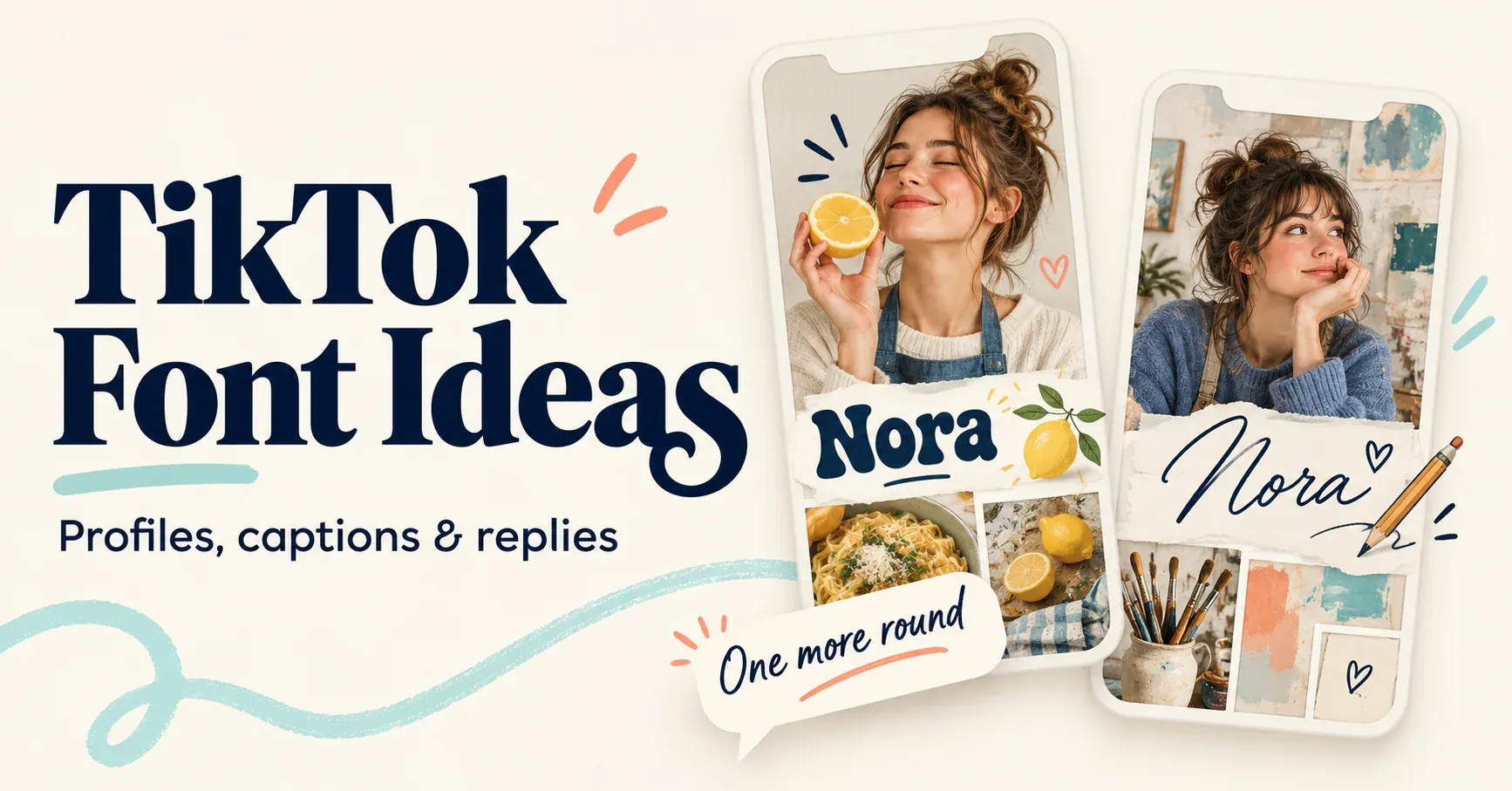
A recognisable TikTok text style can be as simple as a bold name and a recurring symbol. You do not need to decorate every sentence. Give your profile one consistent look, then use a lighter version of it in captions and replies.
For example, a cooking creator might pair the name 𝗡𝗼𝗿𝗮 with a plain bio about quick dinners. An illustrator might prefer 𝓝𝓸𝓻𝓪 and a small star beside a sketch-series title. Both approaches work as design ideas because the lettering supports what the account shares.
Start with the field you want to change
TikTok distinguishes a nickname from a username. The nickname is your visible account name; the username is the @handle associated with your profile link. TikTok documents a 30-character nickname limit and a seven-day interval between nickname changes. Usernames have a separate permitted-character format. [1][2]
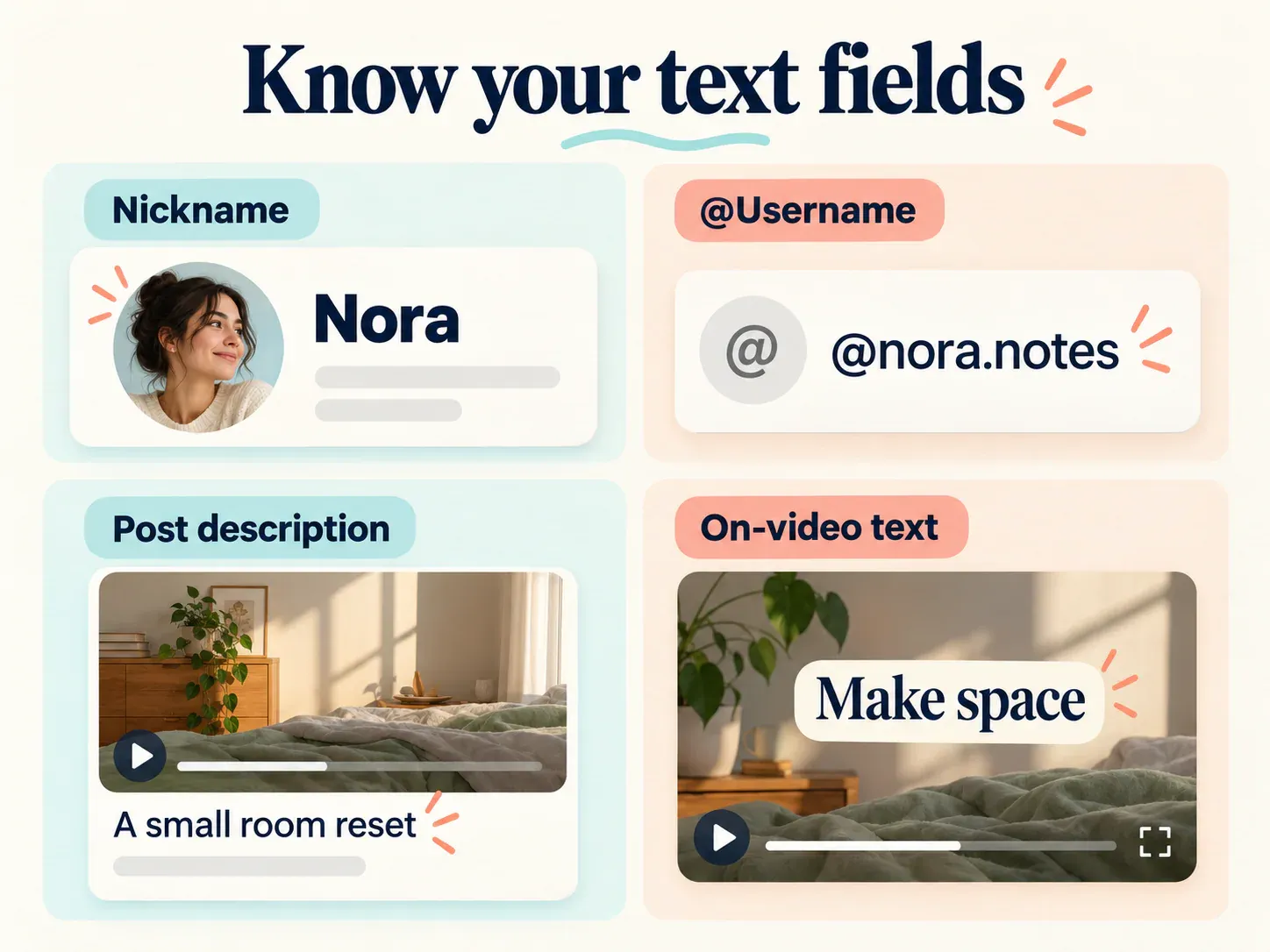
Illustration, not a screenshot of the TikTok app.
Use the nickname or another text field to try decorative lettering, then check whether the app accepts that particular result. A generator cannot override a field’s validation rules.
There are also two different kinds of captions to consider. The written description accompanying a post is different from text placed inside a video. For on-video lettering, begin with the video editor’s own text controls. For a typed description or reply, a short pasted Unicode phrase is another option.
Four original style sets to try
The following sets are examples you can adapt. Their names and wording are fictional; use them as a structure for your own identity.
Everyday food creator
Name: 𝗡𝗼𝗿𝗮
Bio idea: Quick dinners, small kitchens, happy plates
Caption opener: 𝗧𝗼𝗻𝗶𝗴𝗵𝘁'𝘀 𝗽𝗹𝗮𝗻: one pan, less washing up.
Reply idea: Recipe notes are in the next post 🍋
The bold name is the main accent. The recipe explanation stays ordinary text so ingredients and instructions remain easy to follow.
Sketchbook creator
Name: 𝓝𝓸𝓻𝓪
Bio idea: Sketchbook pages and colour experiments
Caption opener: ✦ today's sketch ✦
Reply idea: Thank you for noticing that little detail ✦
Here, the repeated star creates consistency without requiring script in every comment.
Gaming clips account
Name: 𝕆𝕣𝕓𝕚𝕥
Bio idea: Close rounds, strange strategies, better teamwork
Caption opener: 𝗢𝗻𝗲 𝗺𝗼𝗿𝗲 𝗿𝗼𝘂𝗻𝗱
Reply idea: That timing surprised me too 🎮
Use the display name as the strongest treatment. A straightforward explanation beneath the clip gives viewers context.
Learning and tutorials
Name: Nora | Study Notes
Bio idea: Small explanations for complicated topics
Caption opener: 𝗧𝗿𝘆 𝘁𝗵𝗶𝘀: explain it in one sentence.
Reply idea: Here is a shorter example ↓
You can keep the profile name plain and use styling only for recurring lesson headings. Consistency comes from a repeatable decision, not from the amount of decoration.
How to change your TikTok name style
- Write your intended name in ordinary text first.
- Enter it in the TikTok fonts generator and copy a suitable output.
- In TikTok, open Profile, choose Edit profile and open the name or nickname field.
- Paste the result and check the spelling before saving.
- Review the saved name on your profile. [1]
For a bio, use its editable profile field and paste the complete line you want. Let the app’s current counter or save message guide the final length. Decorative letters and symbols are not always counted the same way across products.
Keep captions useful after the opening
Treat a styled phrase as a heading. The next sentence should add the useful information that the heading introduces.
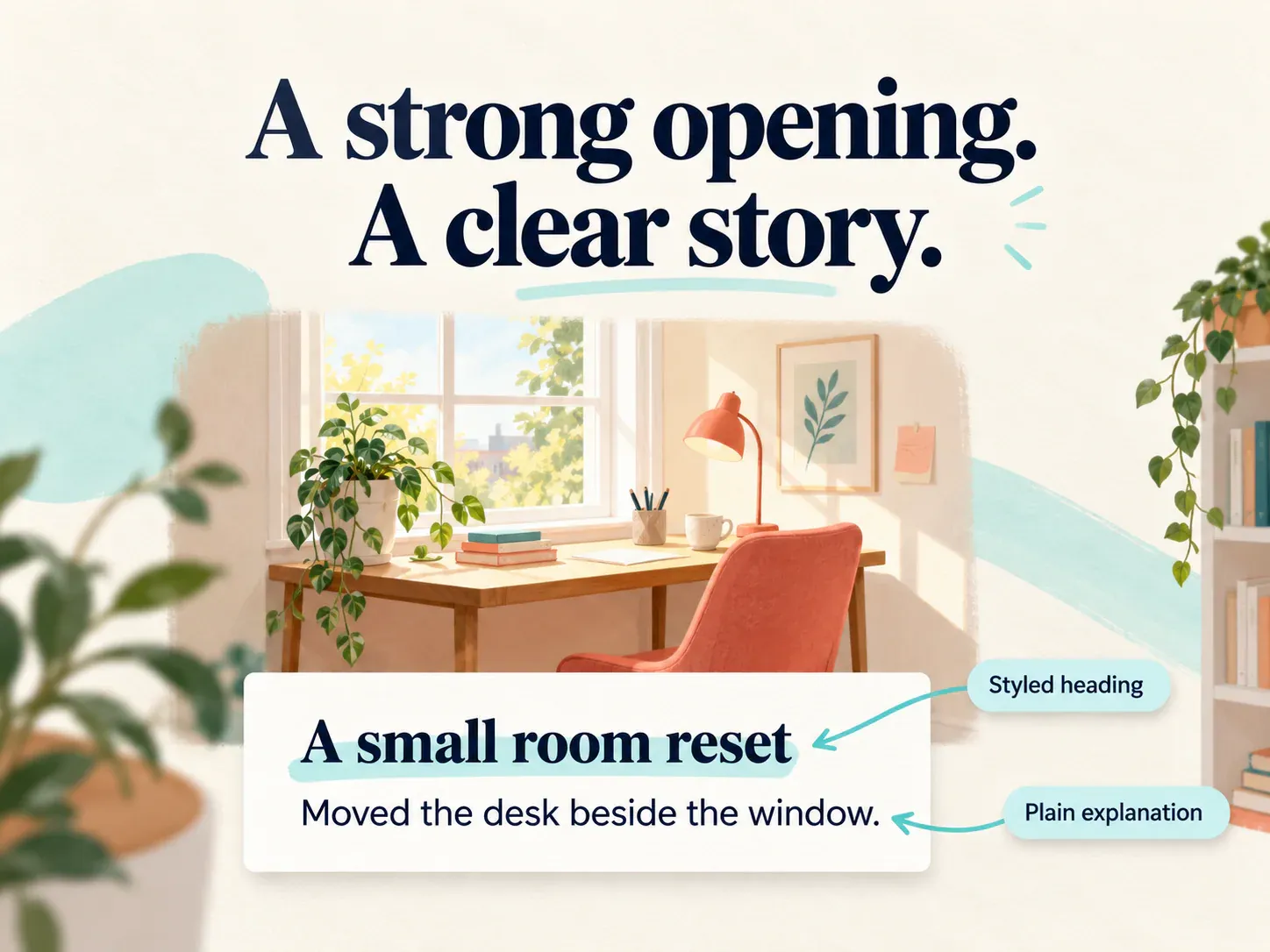
Example:
𝗔 𝘀𝗺𝗮𝗹𝗹 𝗿𝗼𝗼𝗺 𝗿𝗲𝘀𝗲𝘁
Moved the desk beside the window and made one shelf for daily essentials.
Another example:
𝗧𝗵𝗲 𝘀𝗲𝗰𝗼𝗻𝗱 𝗮𝘁𝘁𝗲𝗺𝗽𝘁
The first version was too salty. This time I used half the sauce and added lemon at the end.
These openings give the post a visual entry point while leaving the story readable. Keep @mentions, links and hashtags in their intended ordinary form rather than replacing their letters with lookalike symbols.
Make replies sound like you
A reply does not need to repeat your entire profile treatment. Choose a small signature that suits the conversation:
Thanks for watching ✦
Trying your suggestion next 🍋
Part two is ready — same idea, easier version.
For an answer with steps or dates, put clarity first. A plain reply can still belong to the same account because its wording and recurring details carry the personality.
If the result does not look right
If TikTok refuses the input, remove extra symbols and try a shorter, simpler version. Check that you are editing the nickname rather than the @username.
If the text wraps awkwardly, shorten the phrase instead of filling the field with spaces. A layout built for one screen width may wrap differently on another phone.
If the text looks different after pasting, compare the actual characters with the copied output. Apps can use different fonts, and a field may also transform or reject certain input. Save a plain-text version so you can rebuild the line quickly.
Create your short name or caption opener in the TikTok fonts generator, copy and paste it, then pair it with wording that tells viewers something specific about your account.
Ready to try it?
Open TikTok Fonts