Copy Paste Fonts
 Social Media Guides 4 min read Published
Instagram Bio Fonts: Ready-to-Copy Layouts for Creators and Businesses
Find original Instagram bio layouts for creators, shops and personal profiles. Copy a starting point, personalise each line and choose readable font pairings.
By the Copy Paste Fonts team · Sources checked 21 October 2026
A useful Instagram bio answers three questions quickly: who is this, what will I find here, and what should I do next? Font styling, sometimes called Insta fonts, can help organise those answers. Give the name or opening phrase a little emphasis, then let the remaining lines explain the account.
This guide focuses on complete layouts rather than a long list of alphabets. Each example has a distinct purpose, so you can choose the structure that suits your profile and replace the details with your own.
The name line and the bio have different jobs
Your display name identifies you. The bio adds context, personality or a next step. You can coordinate the two without repeating the same information in both places.
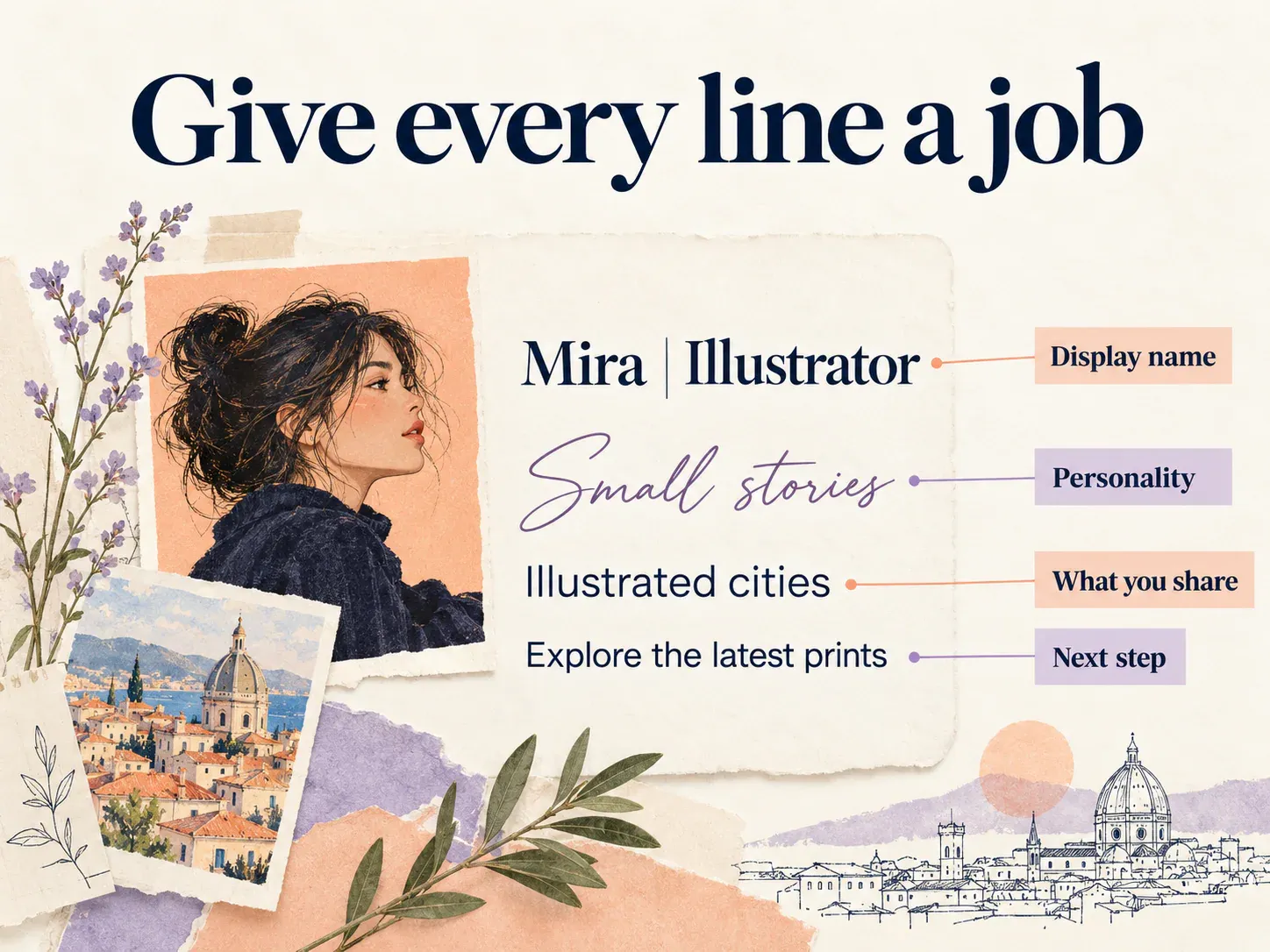
Illustration, not a screenshot of Instagram.
For example:
Display name: Mira | Illustrator
Bio:
𝓢𝓶𝓪𝓵𝓵 𝓼𝓽𝓸𝓻𝓲𝓮𝓼
Illustrated cities and everyday moments
Explore the latest prints ↓
The display name states the person and role. The bio opening adds a mood, while the other lines explain the content and invitation. If a project title already appears in your name, use the bio for something visitors do not know yet.
Eight original layouts to adapt
The artist or illustrator
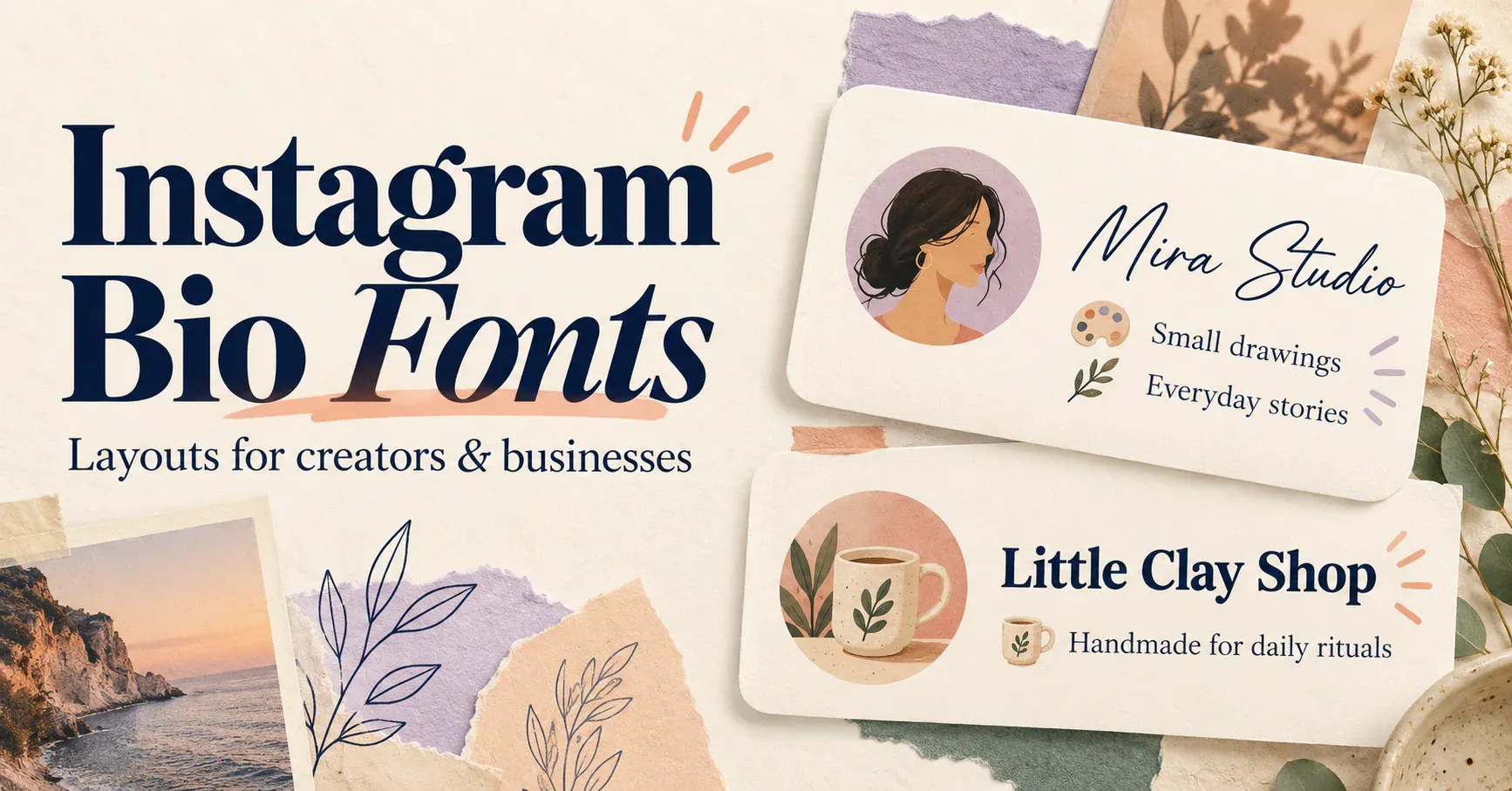
𝓜𝓲𝓻𝓪 𝓢𝓽𝓾𝓭𝓲𝓸
Small drawings, everyday stories
New prints and commissions ↓
Script adds personality to the studio name. The plain lines explain the work and where to go next. Replace the final line if you are not currently accepting commissions.
The photographer
𝗙𝗿𝗮𝗺𝗲 𝗯𝘆 𝗙𝗿𝗮𝗺𝗲
Portraits • places • natural light
View selected work ↓
The bold opening creates a title, while the three plain descriptors tell visitors what kind of photography to expect. Add a real location if local bookings are important to your account.
The handmade shop
𝗟𝗶𝘁𝘁𝗹𝗲 𝗖𝗹𝗮𝘆 𝗦𝗵𝗼𝗽
Handmade mugs for everyday rituals
Browse the current collection ↓
The product explanation is more valuable than a string of unrelated decorative symbols. Use the last line for your actual next step: shop, preorder, browse or contact.
The learning creator
Notes with Nora
𝗟𝗲𝗮𝗿𝗻 𝗼𝗻𝗲 𝘀𝗺𝗮𝗹𝗹 𝘁𝗵𝗶𝗻𝗴
Simple lessons and practical examples
This version keeps the account name ordinary and highlights its promise instead. It suits a profile where the topic matters more than an elaborate personal-name treatment.
The travel journal
slow routes
Local walks and weekend discoveries
Save a place for your next day out
The wide title creates a relaxed feel. Keep that first line short so it has room to breathe on a phone.
The reading account
☾ Chapter Notes
Old favourites and new discoveries
One thoughtful review at a time
A single moon supplies the accent. Ordinary letters carry the account name and description, which makes this a good option when a fully styled alphabet feels too busy.
The gaming creator
𝕆𝕣𝕓𝕚𝕥
Clips, co-op sessions and close finishes
Latest highlights ↓
The outlined-looking name becomes the main visual feature. The rest of the bio explains the content without adding a second elaborate alphabet.
The personal profile
♡ Mira
Good coffee, long walks, small projects
A few things I want to remember
This approach uses familiar lettering throughout. A profile can feel personal through its wording and arrangement, even with very little font styling.
Personalise the layout before copying it
Replace every invented name, service and promise with information that is true for your account. A shop should describe its products; a creator should explain the kind of content visitors will see. If you are not taking bookings, do not keep a bookings invitation simply because it fits the design.
Next, decide which line deserves emphasis. Try the name and the opening phrase separately, then keep the stronger option. A bio with two equally decorative headlines can feel as though it is introducing two different accounts.
Finally, shorten the wording where necessary. These examples are starting layouts, not a promise about how every app version counts each character. The destination field’s current counter and save behaviour determine what fits.
How to add the bio to Instagram
- Prepare your plain-text wording, including the line breaks you want.
- Use the Instagram fonts generator to style the selected name or phrase.
- Combine that result with the remaining ordinary-text lines.
- In Instagram, open your profile, select Edit profile and choose Bio.
- Paste the complete layout, save it and review the profile. [1]
If your final line points to a website, add the actual destination through the profile’s Links controls. A downward arrow is a visual cue, not a substitute for adding a working link. [2]
Add emoji and symbols without crowding the bio
Insta bio emojis and symbols are characters too, so they paste into a bio in the same way as styled letters. Use them as small markers rather than as decoration on every line. Here are two original layouts to adapt:
Nova Lane ✦
🌿 Plants, tea and slow mornings
☁ New posts every Friday ↓
One symbol after the name and one marker at the start of each line is enough. The words still do the work, and the markers only help the eye find each line.
𝓝𝓸𝓿𝓪 𝓛𝓪𝓷𝓮
♡ Soft colours and small joys
✧ Sketches, notes and shop updates
Here the script name is the single decorative headline, and each marker is one symbol. Keep the same kind of marker on every line instead of mixing hearts, stars and flowers.
Symbols and emoji count towards the bio’s limit, and some emoji count as more than one character, so check the counter in the Instagram bio builder before you save. For more symbols, open the text decoration generator and copy a single symbol from its palette or a ready-made frame.
Styled text in Instagram Stories
Insta story fonts are a separate case from the bio. Any font options in the Story editor belong to Instagram, and they are separate from the copyable alphabets in this guide. To try a styled word in a Story, copy it from the Instagram fonts generator, paste it into the Story’s text box and check the preview before you post.
Because these letters are characters rather than a font, the result depends on your phone and the app version. If the preview shows plain letters or empty boxes, choose another style or keep that Story text plain.
A short example to adapt:
𝗡𝗘𝗪 𝗗𝗥𝗢𝗣
Studio prints, Friday 6pm
Style only the word or two that matter, and keep the details in plain text so they stay easy to read at Story size.
Pair fonts by purpose
Use script when you want a personal, handwritten impression. Try bold when the opening acts like a clear title. Use wide lettering for a short atmospheric phrase, and keep ordinary text for service details, locations and instructions.
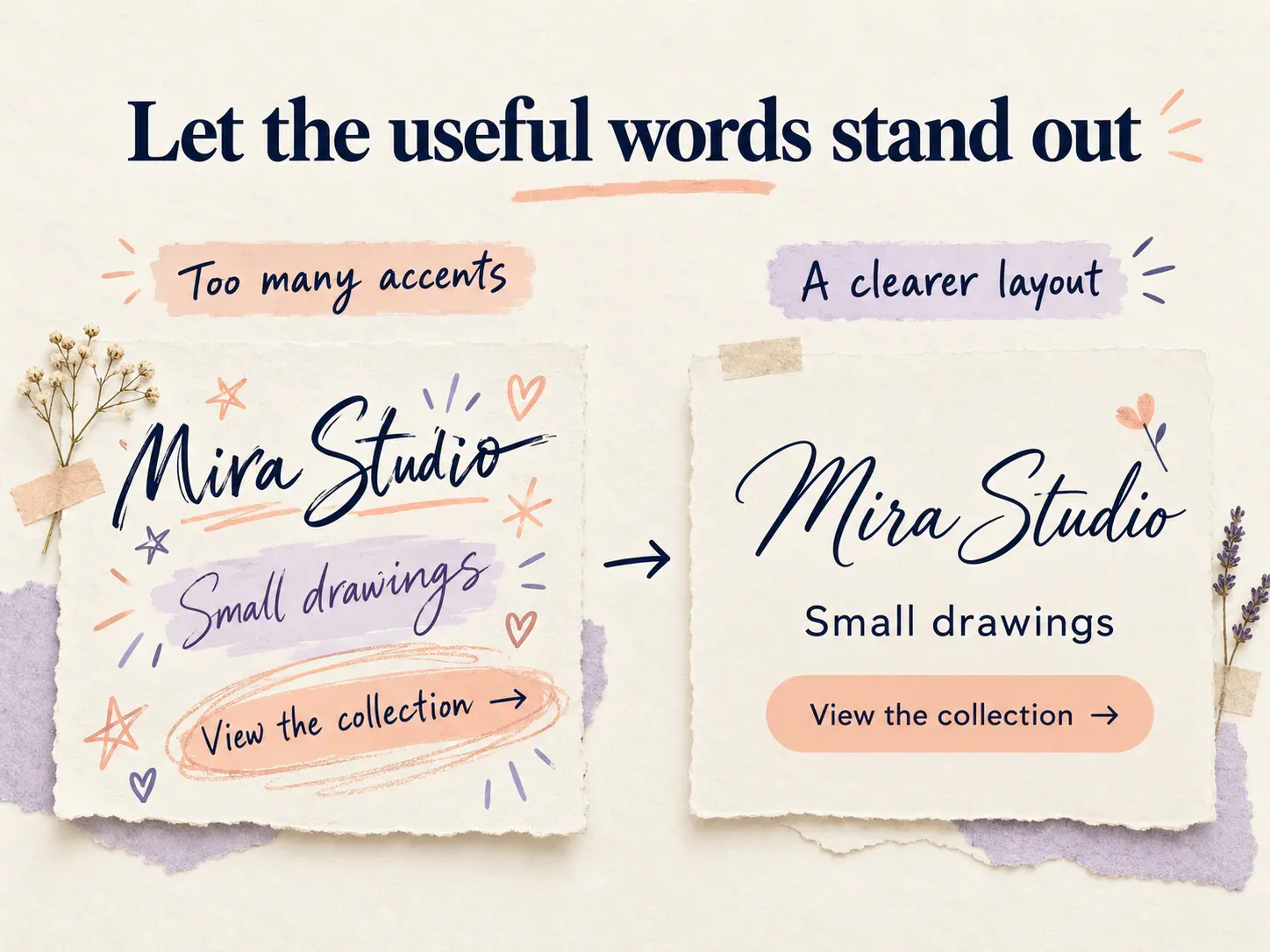
Illustration, not a screenshot of Instagram.
Copyable letters are Unicode characters, so your phone and a visitor’s phone may draw them differently. [3] Judge the saved result at normal profile size. It is more useful to see whether a visitor can recognise the name than whether the lettering looks impressive when enlarged.
For a readable final layout, remove repeated symbols before removing meaningful words. Keep email addresses, handles and other contact information in their intended ordinary form.
Create the styled part of your layout in the Instagram fonts generator, copy and paste it with your own words, and check the complete bio before saving.
Ready to try it?
Open Instagram Fonts